深度学习调参-keras,tensorflow设置随机种子,保证结果可复现
keras,tensorflow设置随机种子,保证结果可复现
ref: https://tensorflow.google.cn/api_docs/python/tf/random/set_seed
1 | np.random.seed(42) |
ref: https://tensorflow.google.cn/api_docs/python/tf/random/set_seed
1 | np.random.seed(42) |
1 | cd hexo |
1 | ssh-keygen |
Deploye keys 选项中,添加公钥~/.ssh/id_rsa.pub的内容。Secrets 选项中,新建 repo secret: 名称设为GITHUB_ACTION, 内容为~/.ssh/id_rsa的内容。在 win10 下尝试过的 latex 环境有以下三种:
这个是最常用的配置方法,建议新手从这个开始使用。
优点:基本适用于所有的场景(中文除外),一劳永逸;
缺点:默认不支持中文,安装包巨大。
texlive 安装: 可以在线安装,也可以离线安装(推荐,安装包3.2G),安装后6G的空间。
texstudio 安装:下载安装包(~89M),正常的安装方法即可。
scoop install texstudiotexstudio 默认的配置就基本够用,不要乱改。
ps: texstudio的提示、警告、错误信息非常明确,出现问题先看提示。
方法: scipy.signal.medfilt
1 | import scipy.signal as signal |
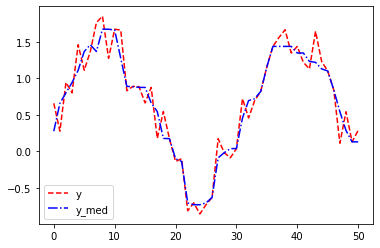
ref: https://docs.scipy.org/doc/scipy/reference/generated/scipy.signal.medfilt.html
比如用cnn在mnist数据集上训练,关于模型建立和训练的代码这里不写了。。。
在程序开头加入超参数的定义:建议至少包括参数名称、类型、和初始值。
1 | ######################### |
首先定义超参数的名称和取值范围,
然后调用itertools.product,可以生成所有超参数的排列组合。
1 | import itertools |
输出:
==== we have 54 cases in total =========
 *** 1 / 54  *********
python mnist_cnn.py --layer_n=1 --activition=tanh --seed=11
 *** 2 / 54  *********
python mnist_cnn.py --layer_n=1 --activition=tanh --seed=17
 *** 3 / 54  *********
python mnist_cnn.py --layer_n=1 --activition=tanh --seed=19
 *** 4 / 54  *********
python mnist_cnn.py --layer_n=1 --activition=sigmod --seed=11
 *** 5 / 54  *********
python mnist_cnn.py --layer_n=1 --activition=sigmod --seed=17
 *** 6 / 54  *********

 ...

 *** 53 / 54  *********
python mnist_cnn.py --layer_n=6 --activition=relu --seed=17
 *** 54 / 54  *********
python mnist_cnn.py --layer_n=6 --activition=relu --seed=19
在基于深度学习的分类识别领域中,经常采用统计学中的混淆矩阵(confusion matrix)来评价分类器的性能。
它是一种特定的二维矩阵:
混淆矩阵的对角线值越高越好,表明许多正确的预测。
特别是在各分类数据的数量不平衡的情况下,混淆矩阵可以直观的显示分类模型对应各个类别的准确率。
ref: https://scikit-learn.org/stable/auto_examples/model_selection/plot_confusion_matrix.html
依赖:keras,matplotlib,numpy,seaborn,tensorflow,sklearn
Jupyter Lab 是 Jupyter Notebook 的下一代升级版,界面相对更友好,功能也更强大,更像一个IDE了。
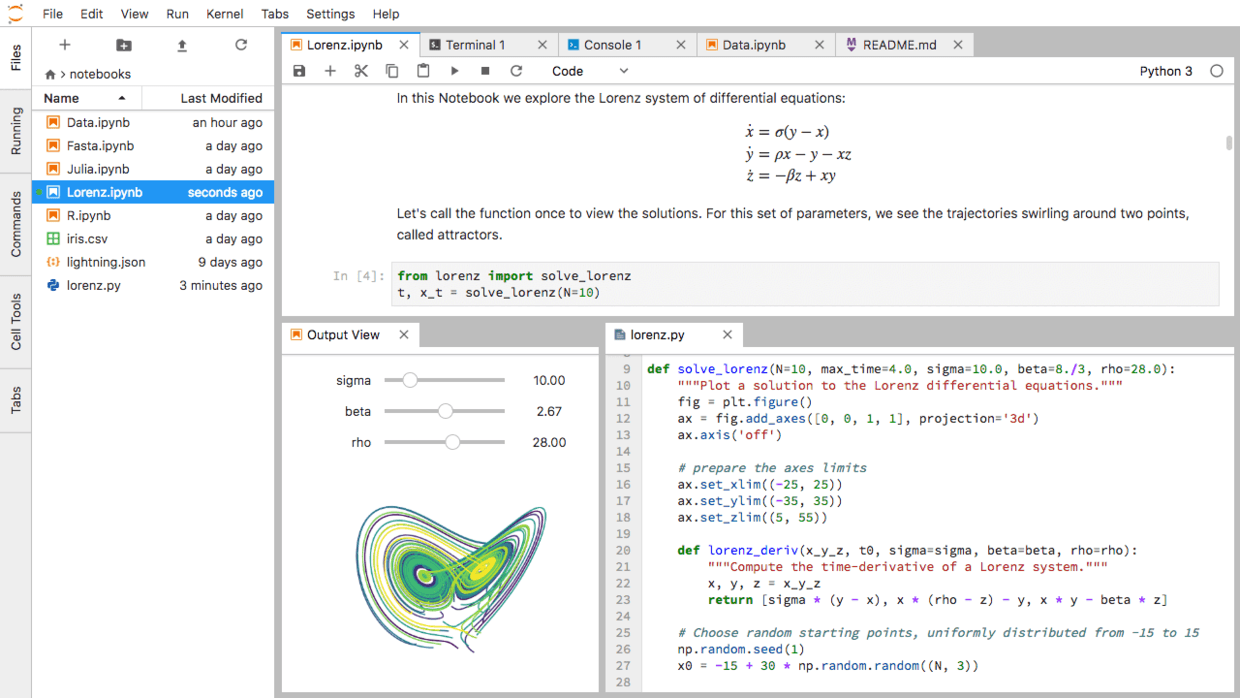
可以到这个页面 https://jupyter.org/try 试用一下。
1 | pip install jupyterlab |
1 | cd hexo |
Environment Variables 选项中新建 github_token 项,将刚刚获得的token填进去ref: https://matplotlib.org/3.1.1/api/animation_api.html
1 | import matplotlib.animation as animation |
ref: https://matplotlib.org/3.1.1/api/animation_api.html
1 | import matplotlib.animation as animation |
ref: https://matplotlib.org/3.1.1/api/animation_api.html
1 | import matplotlib.animation as animation |
ref: https://matplotlib.org/stable/api/markers_api.html
ref: https://matplotlib.org/stable/gallery/lines_bars_and_markers/marker_reference.html#sphx-glr-gallery-lines-bars-and-markers-marker-reference-py
1 |
|
ref: https://matplotlib.org/stable/api/markers_api.html
ref: https://matplotlib.org/stable/gallery/lines_bars_and_markers/marker_reference.html#sphx-glr-gallery-lines-bars-and-markers-marker-reference-py
1 |
|
下载匹配的版本,https://github.com/fatedier/frp/releases
1 | # frps.ini |
1 | ./frps -c ./frps.ini |
下载匹配的版本,https://github.com/fatedier/frp/releases
1 | # frps.ini |
1 | ./frps -c ./frps.ini |
